
Spend
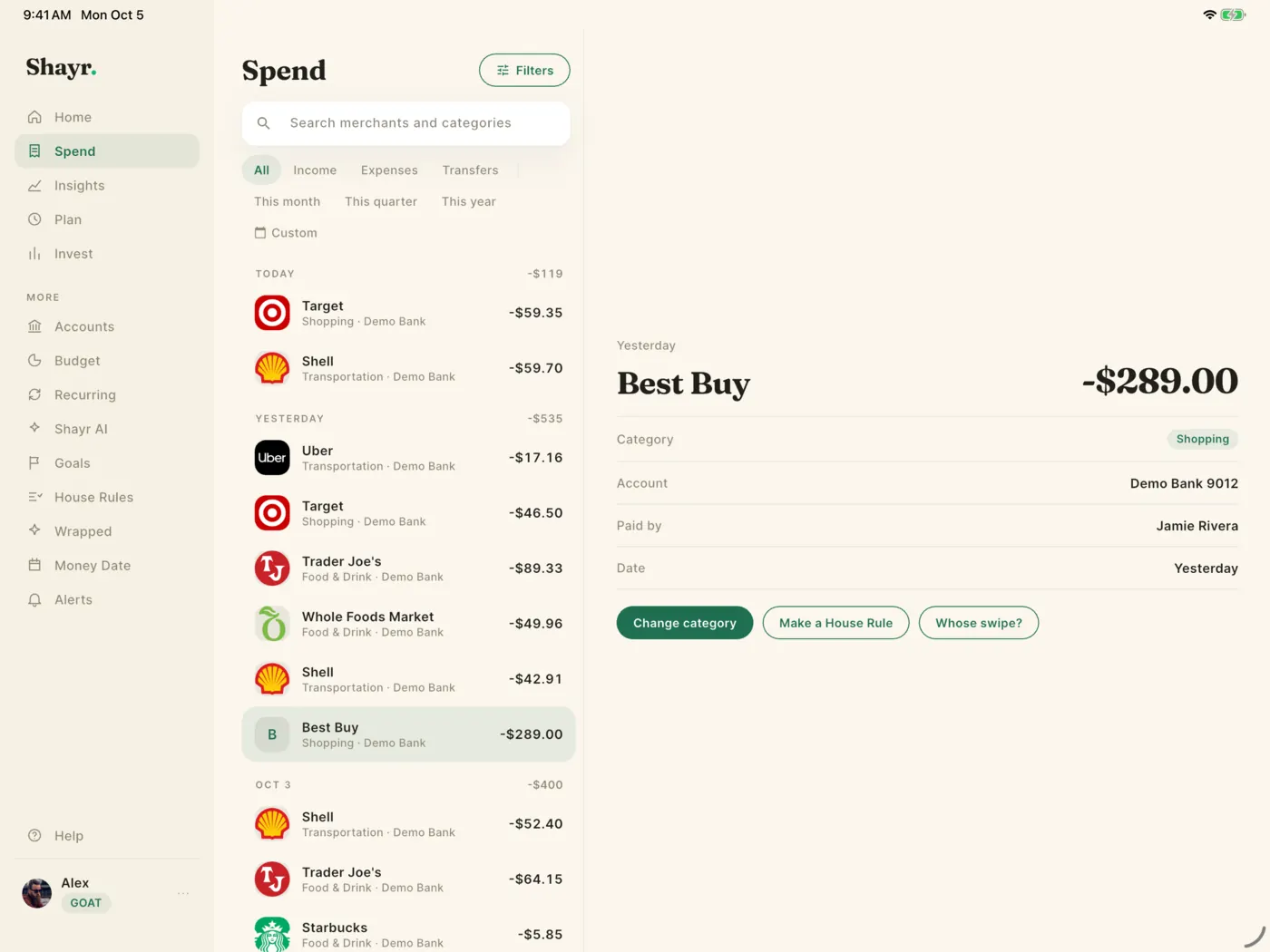
Every transaction in one list. Search, filter by category or person, fix a category, or turn a purchase into a House Rule.
Money you manage together
Net worth, cash flow and bills on one calm screen, for just you, you and a partner, or your whole household. Shayr reads your accounts, never moves your money, and tells you what changed and why.
Free for 14 days, no credit card needed. For iPhone and iPad in the US and Canada.
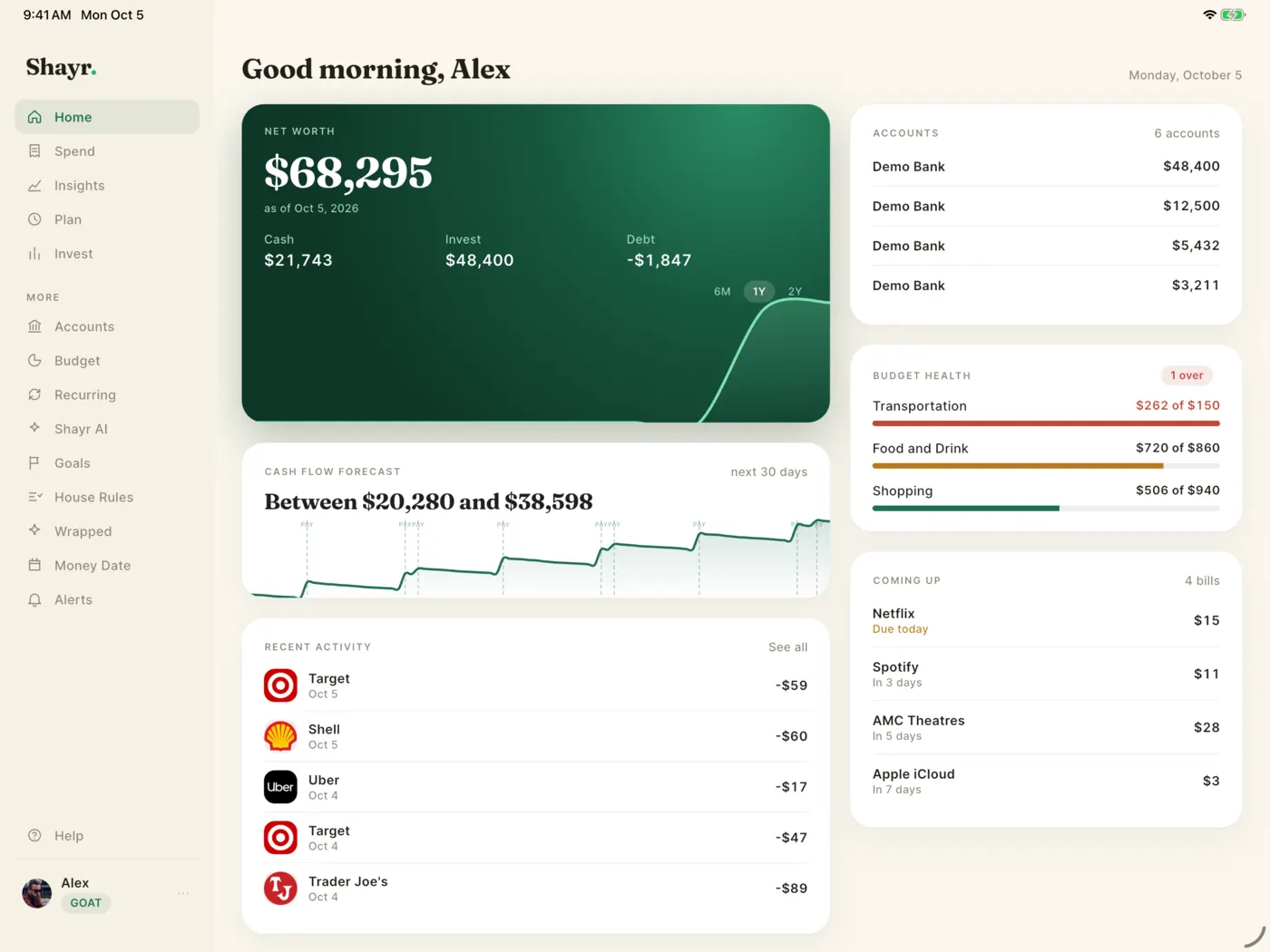
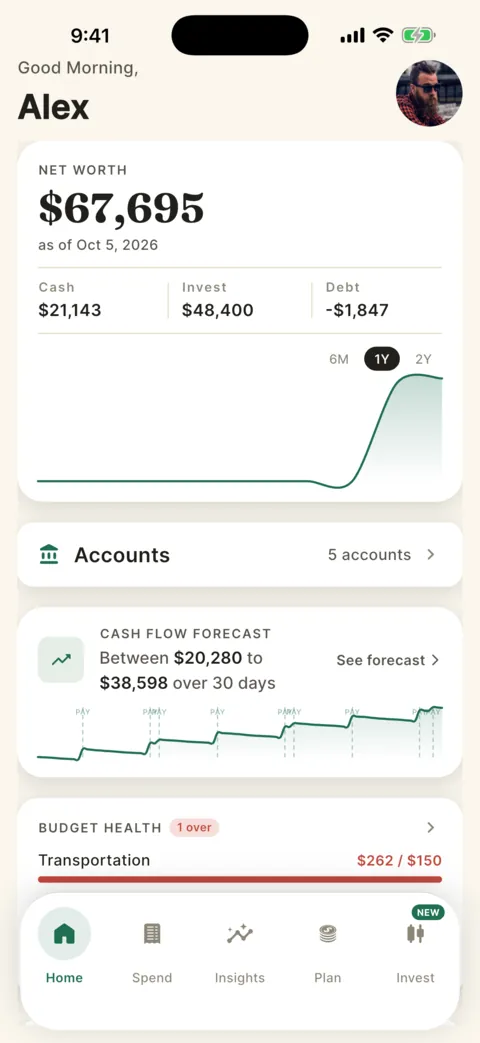
Shayr sees balances and transactions. It cannot move your money.
Link banks, cards and loans. Your bank login stays in Plaid's window.
Just you, you and a partner, or the whole family on the same accounts.
A calm single column view on iPhone and a full sidebar on iPad.
How it works
Four steps, and the last one is optional if you are on your own.
Download Shayr from the App Store, sign in and start the free trial.
Choose your bank in Plaid's own window. Shayr gets read only access and never sees your bank login.
Optional. Everyone you invite sees the same accounts, budgets and goals, each with their own sign in.
Net worth, cash flow, budget health and what is due next, sorted for you and kept up to date.
Wrapped
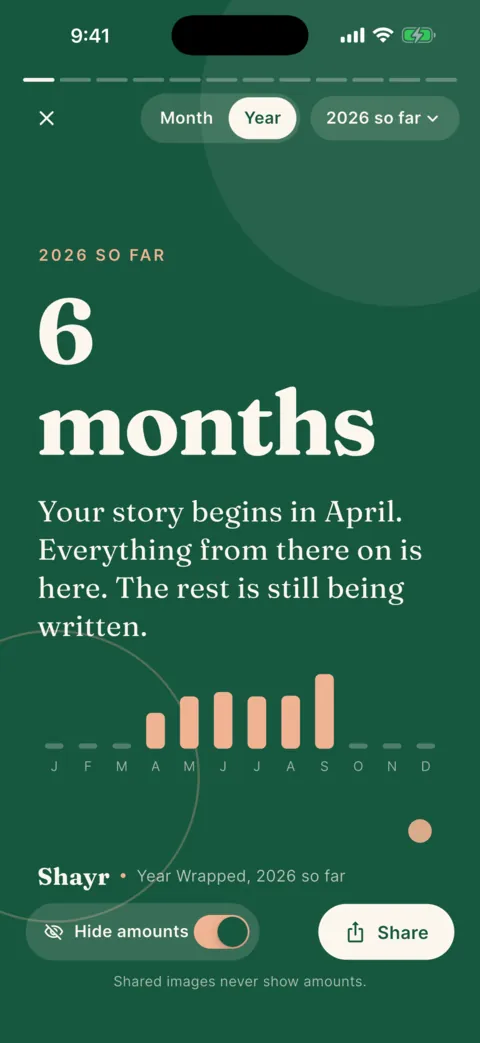
A calm story of your household money, for the month and for the whole year. Hide the amounts before you share it and nobody sees a single dollar.
Spending patterns
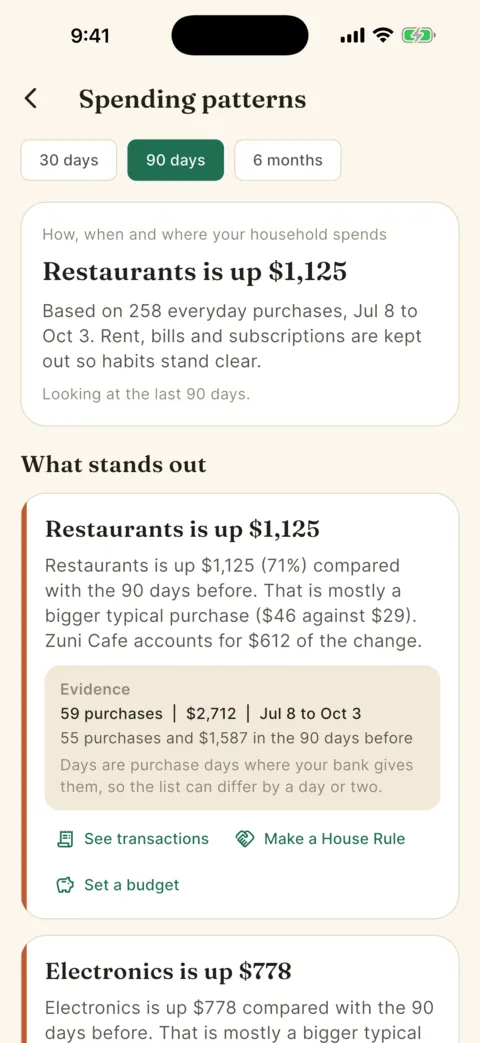
Spending patterns shows which days, places and habits move your money, with the proof behind each finding: the purchases, the dates and what they are compared with.
House Rules and Money Date
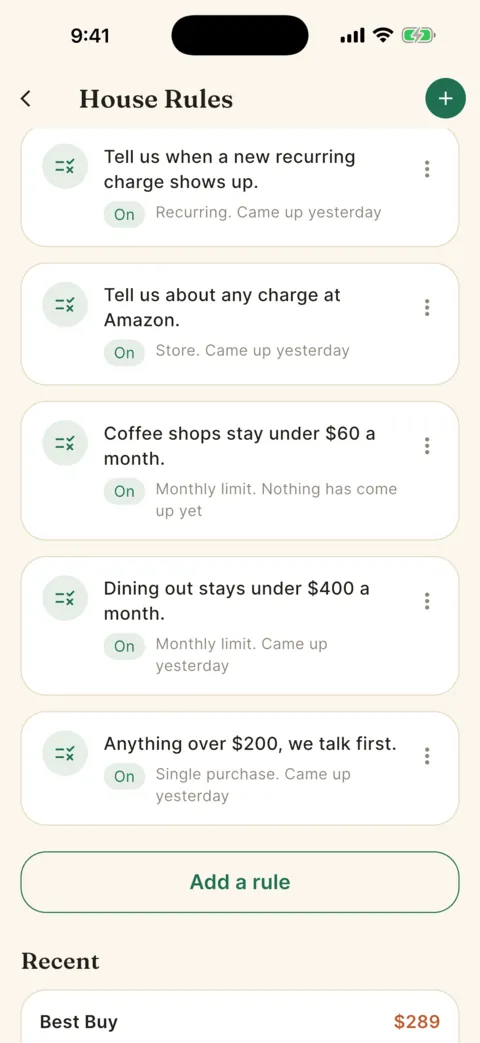
Write a House Rule in plain words, like "anything over $200, we talk first". Shayr watches every purchase and tells you both. A weekly Money Date keeps everyone on the same page.
Shayr AI
Shayr AI answers from your own household accounts, in plain language. It reads your data and writes an answer. It cannot change anything, and it says so when something is missing instead of guessing.
Shayr AI
Example conversation
You spent $512 across 14 restaurants in September, about $62 more than August. Your dining rule of $400 was passed on September 24.
Based on 14 transactions, Sep 1 to Sep 30
Try asking
Everything else you need
Shayr sorts your accounts for you and keeps up as the month moves.
Every transaction in one list. Search, filter by category or person, fix a category, or turn a purchase into a House Rule.
Set budgets from your real spending. Unspent budget rolls over. Plan puts budgets, goals and bills side by side.
Name a goal, set a target and track what you have saved. Shayr does not move money, you tell it what is saved.
Shayr finds bills and subscriptions from charges that repeat, and shows what is due next. You can confirm or dismiss any guess.
Your checking and savings projected day by day, with bills and paychecks marked and the low point called out.
Safe to spend, where the money went by category or merchant, and Spending patterns underneath.
Your investment accounts and holdings next to everything else. See the plans page for which plan includes it.
Large transactions, budgets near their limit, price changes on recurring charges, duplicates and goal milestones.
iPhone and iPad
A calm single column view on iPhone. A full sidebar on iPad, with details open beside the list. Same account, same data, in any orientation.
Connectors
On GOAT and the free trial, you can ask Claude about your budgets or keep a live Google Sheet of your transactions. Both are read only, and you can disconnect any time. Bussin includes CSV export instead.
GOAT and free trial
Add Shayr to Claude as a custom connector and ask about your own numbers. Claude gets five read only tools:
Example
Used Shayr: Get Budgets
Claude calls the tool, reads your budgets and answers in plain language.
It cannot create, edit or delete anything, and it never gets your bank login. Tap Disconnect in Connected Apps and access stops at once.
GOAT and free trial
Make a private feed link in Settings, paste one formula into a sheet, and it stays up to date. It refreshes about once an hour. Excel and Numbers can read the same link.
Example
=IMPORTDATA("your private feed link")
Treat the link like a password. Turn it off in the app and it stops working right away.
Private by design
Shayr can see balances and transactions. It cannot move money, pay a bill or change anything at your bank.
Access through Plaid is read only. Shayr has no way to transfer money, pay anything or open accounts.
You sign in inside Plaid's own window. Shayr never sees or stores your bank username or password.
Bank access tokens, balances and personal details are encrypted in our database with AES-256, and everything travels over HTTPS.
Everyone in a household sees the same accounts, budgets and goals. Each person keeps their own sign in, feed links and connected apps.
Export your data as CSV any time. Delete your account in Settings and the data tied to it goes with it.
The Help Center says what Shayr reads, what is encrypted and who else can see it. Read what Shayr can see.
Plans
Shayr has two paid plans: Bussin at $2.99 a month and GOAT at $5.99 a month. Every new account starts with a 14 day free trial that includes everything in GOAT, with up to 3 bank connections.
Free for 14 days
Try everything for 14 days, with up to 3 bank connections.
$2.99 a month
or $29.99 a year, about $2.50 a month. Saves $5.89 a year.
Everything you need to run your money day to day.
$5.99 a month
or $49.99 a year, about $4.17 a month. Saves $21.89 a year.
Everything in Bussin, plus investing, AI and a longer forecast.
Questions
Shayr is read only. You link banks through Plaid, so your bank login stays in Plaid's window and Shayr never sees or stores it. Bank access tokens and other sensitive fields are encrypted with AES-256, and everything travels over HTTPS. Shayr can see balances and transactions, and it cannot move money or change anything at your bank. The details are in what Shayr can see and what it cannot do.
Yes. Everything works on your own, and sharing is optional. When you are ready, invite a partner or family member and you will see the same accounts, budgets and goals.
Everyone in a household sees the same accounts, balances, transactions, budgets and goals, including accounts other members linked. Each person keeps their own sign in, and feed links, connected apps and AI consent stay personal. See what everyone in a household sees.
Every new account starts with 14 days of full access, with up to 3 bank connections. After the trial, Shayr locks until you choose Bussin or GOAT. There is no free plan. If you do not choose a plan, Shayr disconnects your connected banks, and nothing else, 5 days after the trial ends. The app shows the exact date. Your accounts, transactions, budgets, goals and history stay, and you can reconnect your banks after you subscribe. See what is included in each plan.
The free trial allows up to 3 bank connections. Bussin allows up to 7 and GOAT allows up to 15. A bank login counts as one connection, however many accounts it has.
It means bring your own AI key. On GOAT you can use your own AI key, or a model on your own computer, for AI chat. Messages that use your own key are not counted against the 20 hosted messages a month that GOAT includes. It is a GOAT feature in the app.
Shayr connects through Plaid, which supports thousands of banks, card issuers and lenders in the US and Canada. If your bank will not link, the help center has a guide for when a bank will not link. You can also add a custom account and update its balance yourself.
Not yet. Shayr runs on iPhone and iPad. If you want a note when that changes, email support@shayrapp.com.
Open Settings, then Personal Details, tap Delete Profile and then Delete My Account Now. Export a CSV first if you want a copy. The steps are in delete your account.
More answers are in the Help Center.
Free for 14 days, no credit card needed. See what changed, and why, with the people you share money with.
Download on the App Store